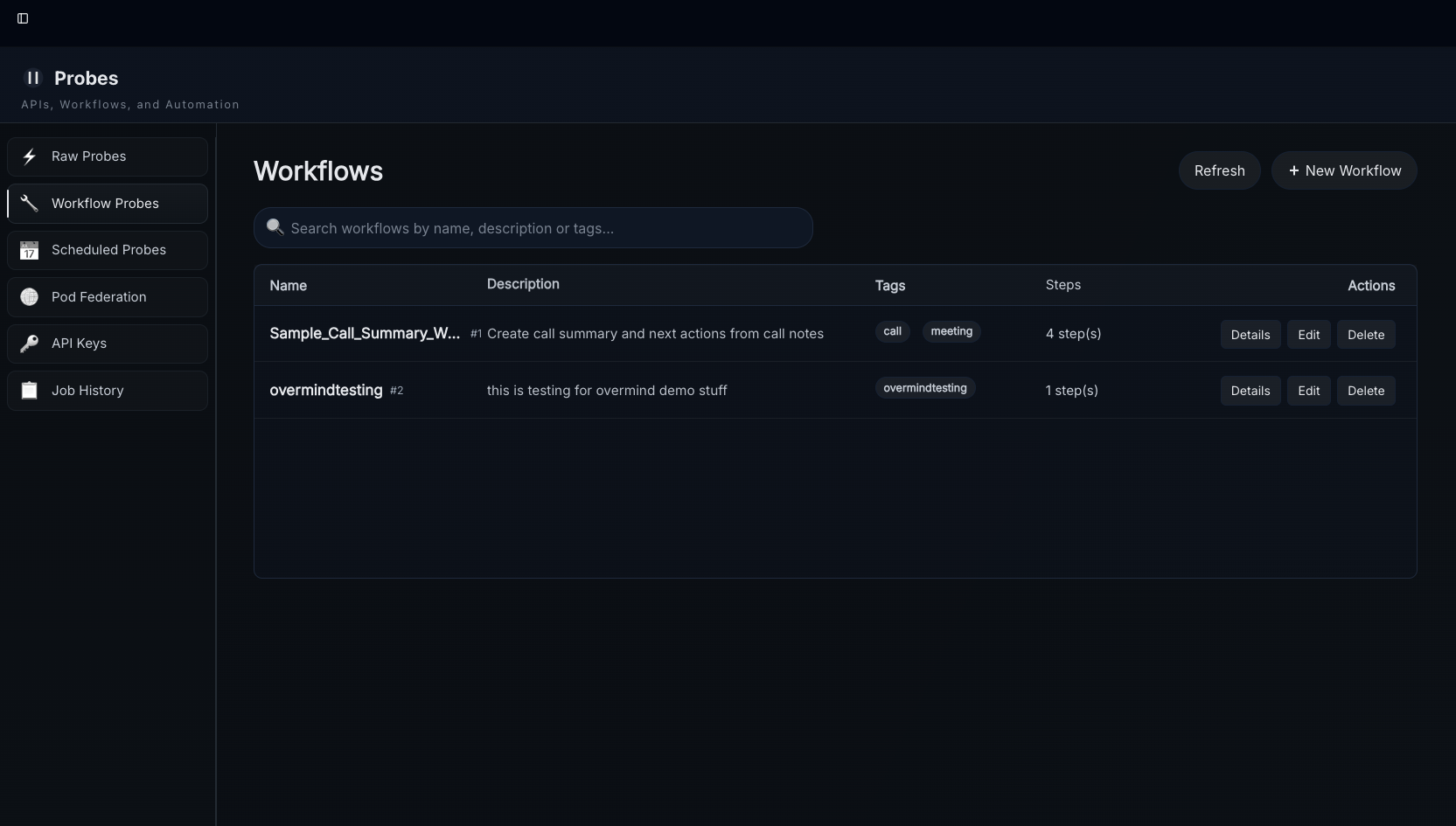
Intro
Workflows allow you to manage digests with Natural Language. Workflows will run automatically on any ingested content with matching tags, including digests generated by other workflows. We'll start this off with a general guide and provide a more detailed guide with information about all of the step types at the end.
Starter Pack
This is a "starter pack" of workflows the team uses that you can upload using the "import" button.

Model Selection
Each step defaults to the ari3l reasoning model. To use the gw3n fast model instead, set the step's ai_model field to "gw3n". This is useful for steps where speed matters more than deep reasoning — retrieval planning, tag extraction, score filtering and day-to-day quick research tasks are good candidates.
Workflow Assistant
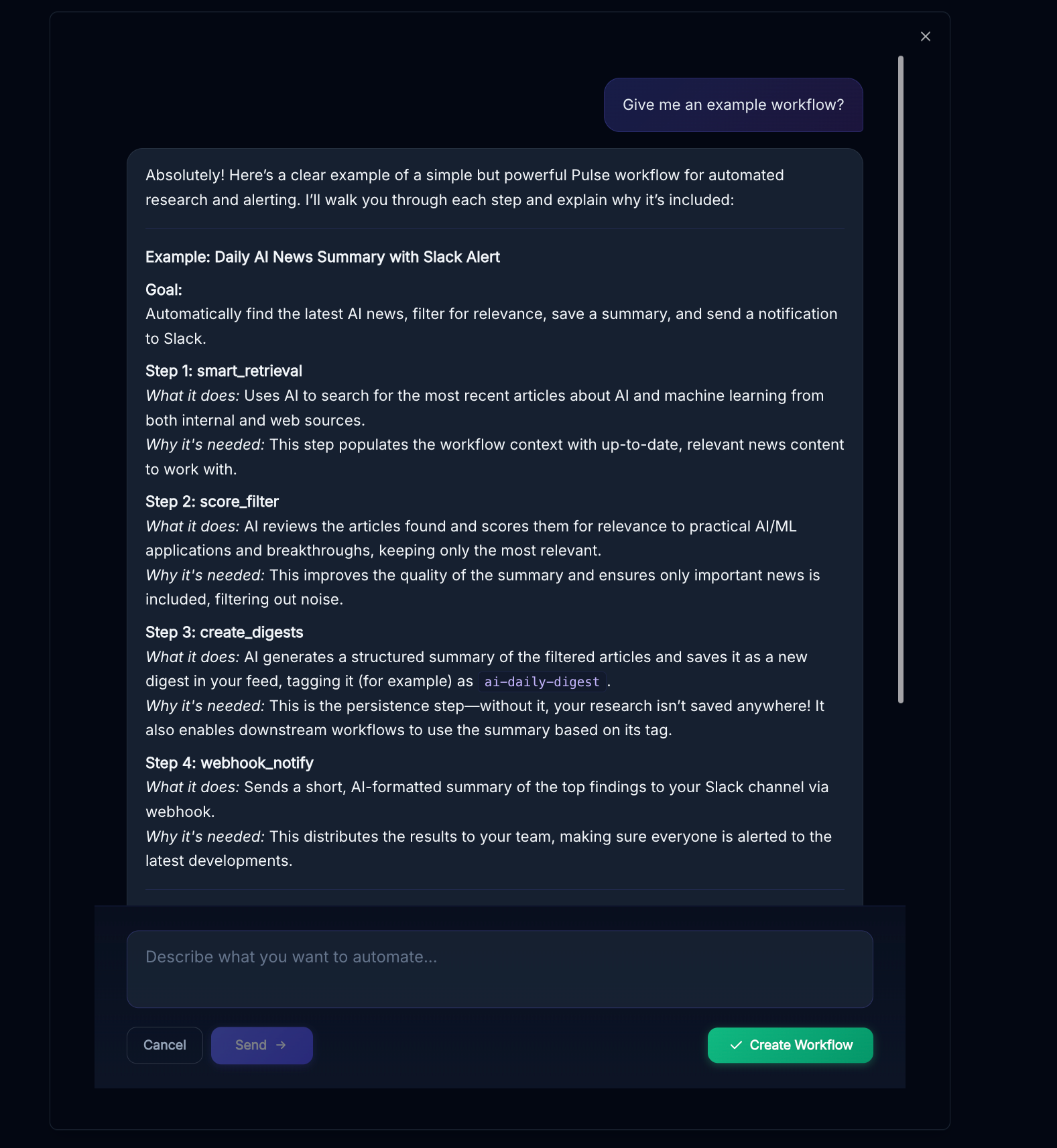
The "AI Builder" option at the top of the workflows page will pop up a helpful assistant that can answer questions and create workflows for you, when you think it understands your requirements go ahead and hit "create workflow"
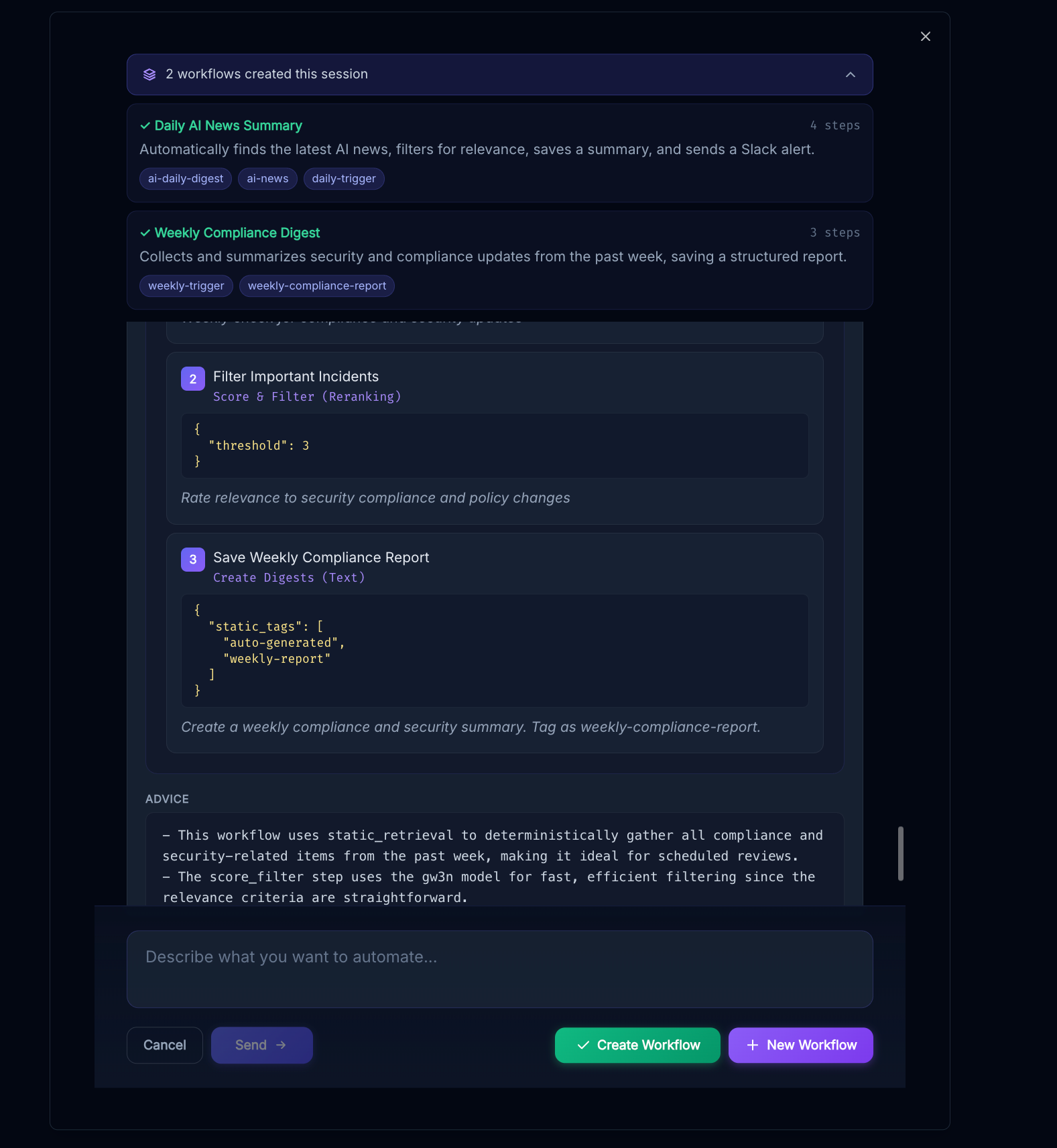
You can continue the conversation and create more workflows afterwards
Quick Start
To create a workflow (if not using the assistant) follow these steps after navigating to the Workflow Probes page by clicking "probes" in the sidebar and then...
1.) Select "New Workflow"
2.) Select Add/Edit Steps - workflows can be used to update the tags (but not the text) of existing digests, create new digests, do web searches, send webhooks, review existing data, and more - all step types are listed at the end of this document.
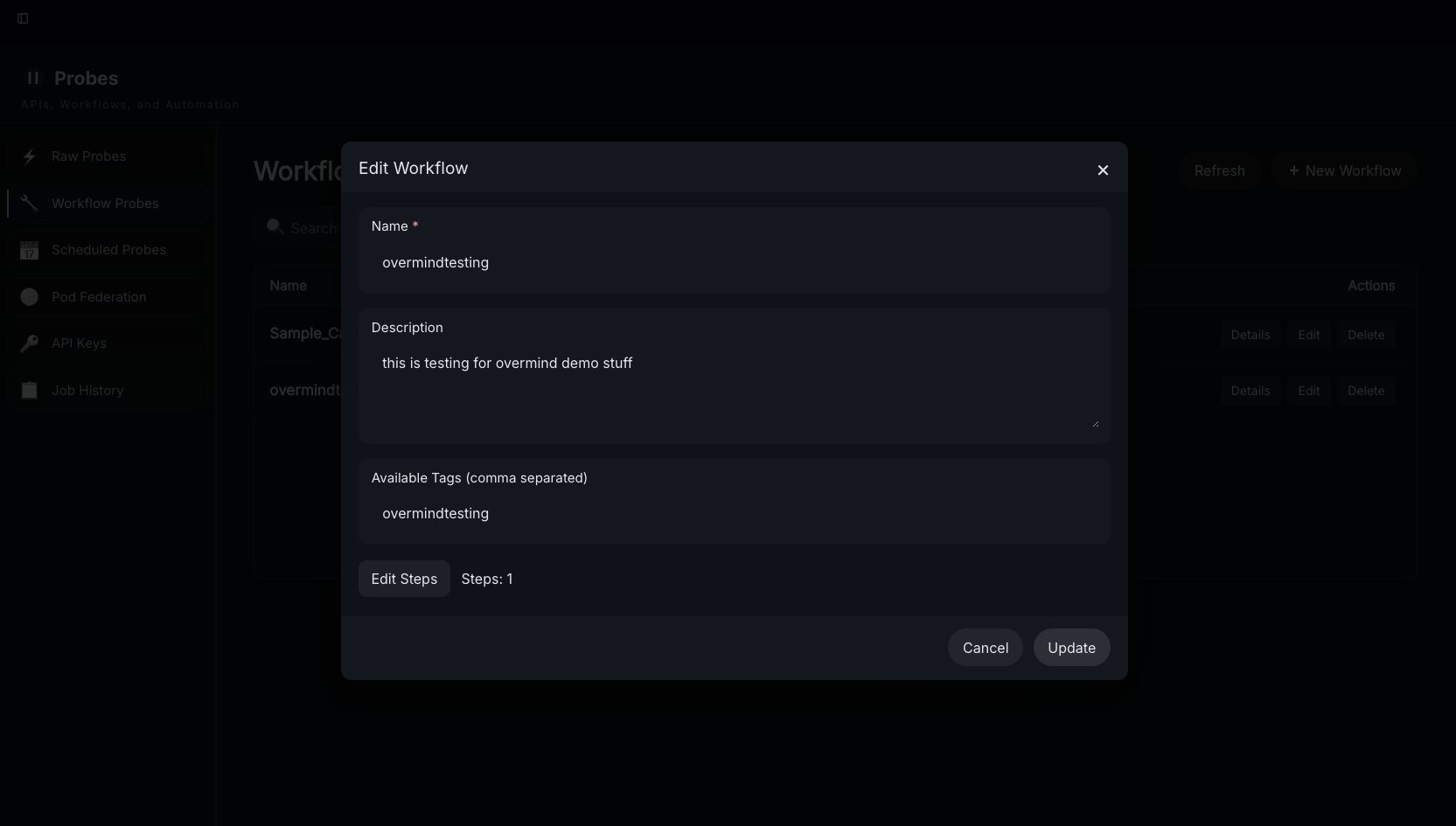
3.) Lay out and Describe the steps using natural language and add config inputs
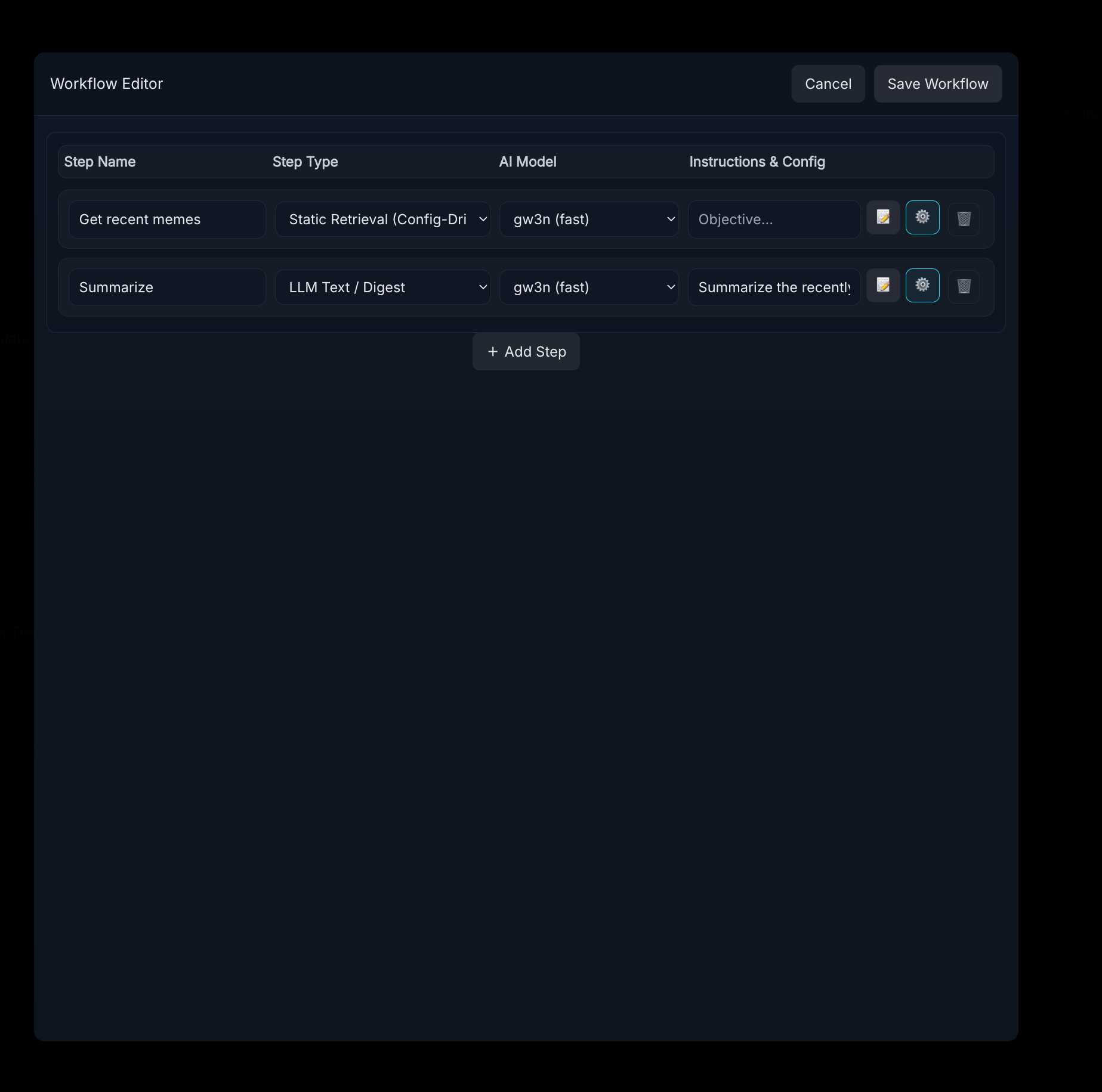
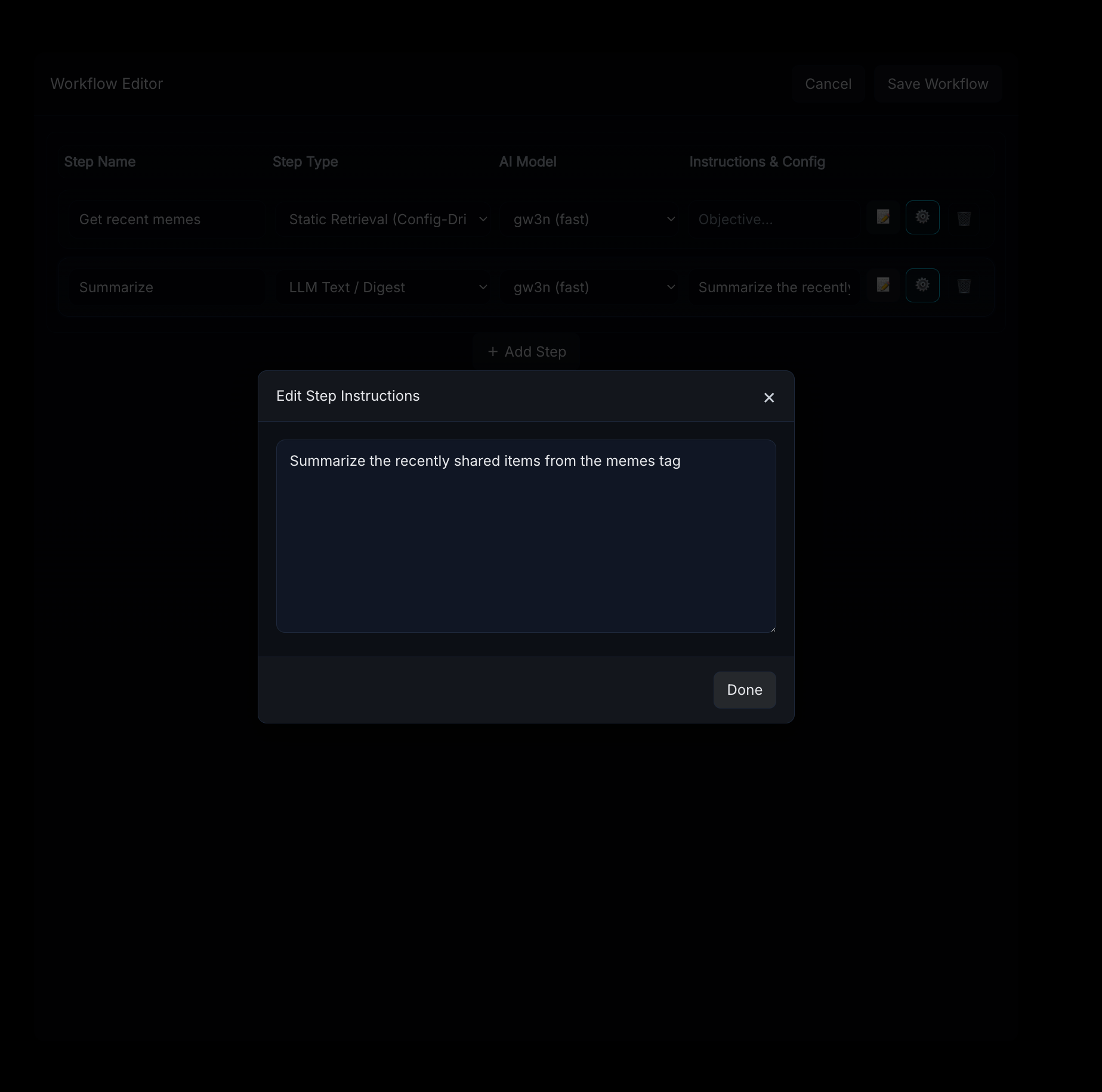
Click on the notepad/pencil emoji to configure prompts for each step that uses AI.
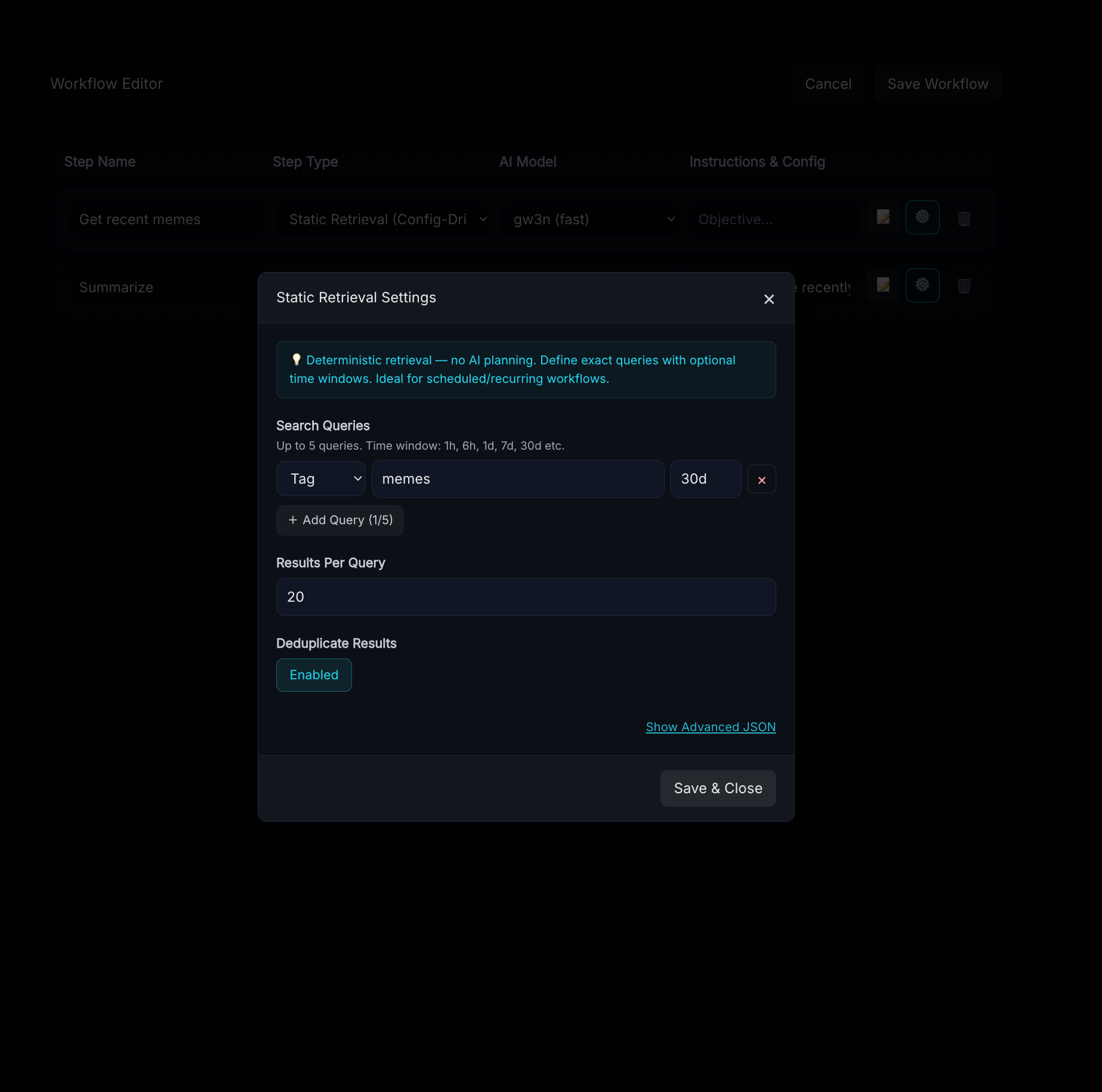
Use the gear icon to configure static step settings - these vary by step type.
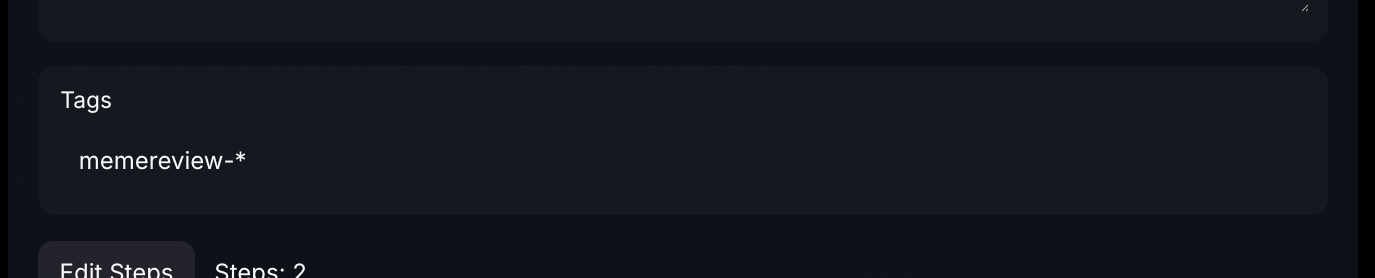
4.) Select the tags you want to assign the workflow to (in this case "overmindtesting") and press save/update - this setting supports the use of * and ? for wildcards in tag names, these will determine what tags on new incoming data will trigger the workflow
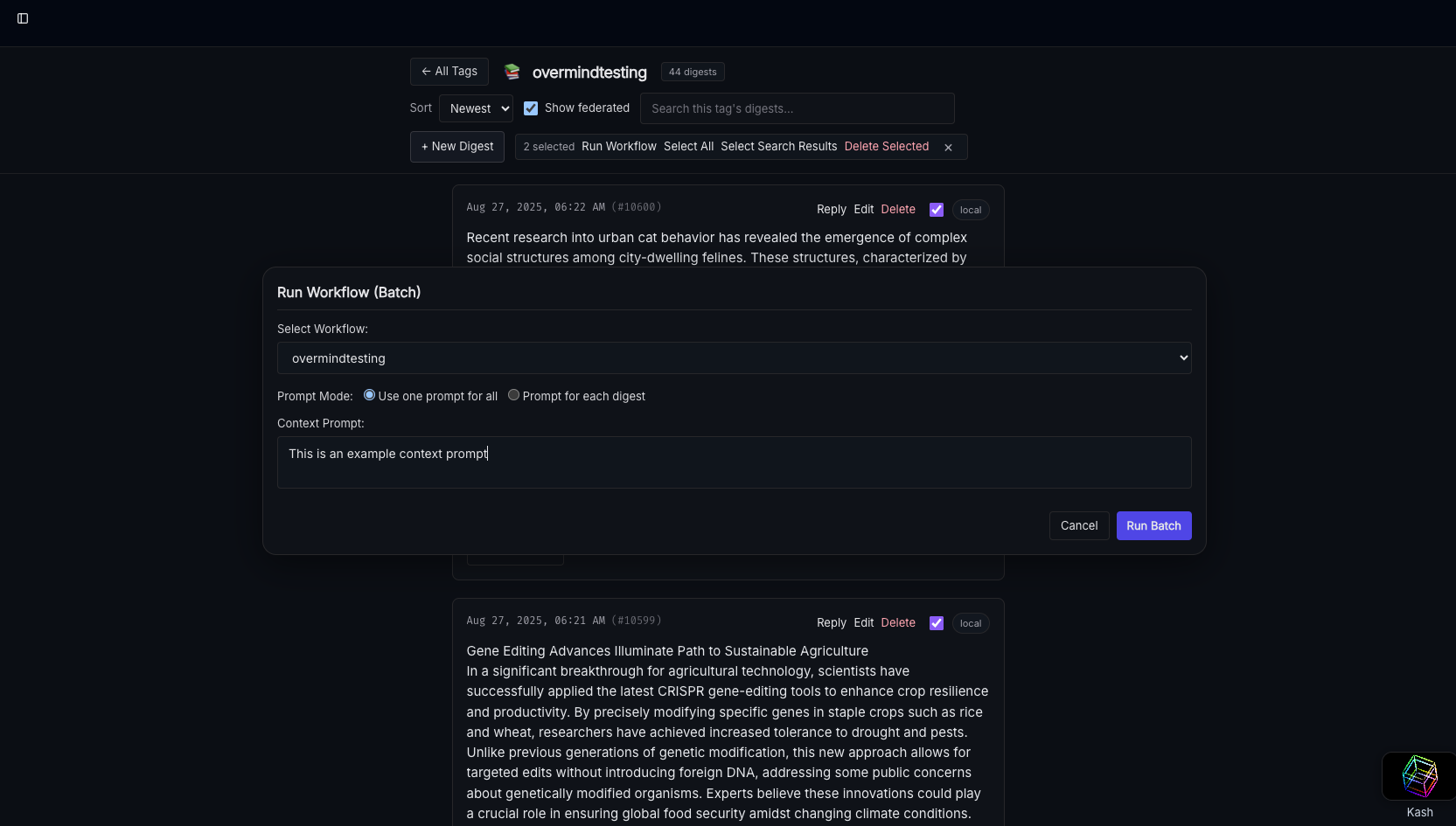
5.) Navigate to the tag in Kash and select digests to run the workflow - in the UI you can run workflows for any digest regardless of tag, tags only apply to new incoming digests so you can assign no tags to make something a UI-only workflow
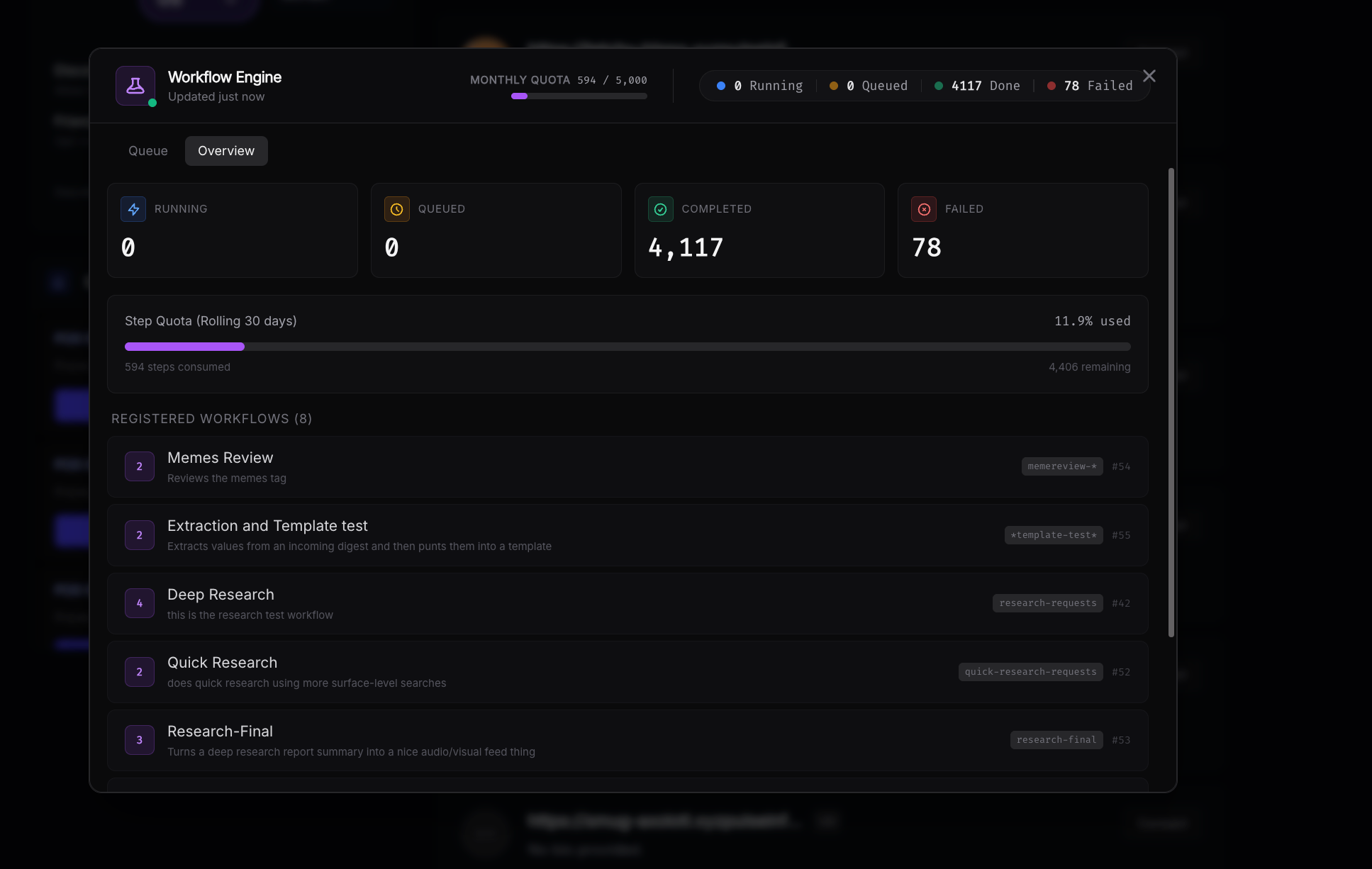
To view workflows that are running and see your step quota navigate to the workflow widget in the top-right corner anywhere in the app.
If you have workflows that start looping unintentionally you can...
- Remove the tag causing the loop from the workflow's tag settings
- Change the static tagging settings causing it to land in the same tag so that they no longer include the tag
- Adjust your prompts to explicitly tell the AI worker not to use the offending tag
- Disable AI tagging completely and rely exclusively on tagging keywords/static tags
Detailed Information
Step Types
Each step in a workflow has a type that determines its behavior. Steps execute in order, and each step can read from and write to a shared context — retrieved content, extracted values, and generated artifacts all flow forward through the pipeline.
Retrieval Steps
These steps pull content into the workflow's context for downstream steps to operate on.
smart_retrieval
AI-planned retrieval. The model reads your prompt and the current context, then generates a retrieval plan — choosing whether to search internally (your Pulse digests by tag or keyword), externally (via web search), or both. If the first attempt returns no results, it automatically retries up to 3 times with adjusted queries.
Prompt example: "Find all digests tagged with market-analysis from the last week, and search the web for recent Pokemon TCG price trends"
How it works:
- The AI generates a structured retrieval plan with a strategy (
INTERNAL,WEB, orHYBRID) and a set of typed queries (tag,keyword, orweb) - Internal tag queries search your digests by tag prefix; keyword queries do full-text search
- Web queries run through SearXNG meta-search (if the web search module is available)
- Results are deduplicated by URL/ID, then by content similarity (>70% word overlap = duplicate)
- Long content is proportionally truncated to stay within the token budget
Config options:
ai_model— set to"gw3n"to use the fast model for planning
static_retrieval
Deterministic, config-driven retrieval with no AI calls. You define exact queries in the step config. Ideal for scheduled or recurring workflows where you know exactly what you need.
Config options:
queries— array of query objects (max 5), each with:type—"tag"or"keyword"value— the tag name or search termtime_window— relative time bound, e.g.,"24h","7d"(how far back to look)time_window_after/time_window_before— explicit bounds for more precise windows
limit— max results per query (default 20)deduplicate—true/false(defaulttrue)
Config example:
{
  "queries": [
    {"type": "tag", "value": "market-analysis", "time_window": "7d"},
    {"type": "keyword", "value": "Pokemon TCG prices", "time_window": "24h"}
  ],
  "limit": 20
}
score_filter
Scores every item currently in context for relevance to a query, then removes items below a threshold. Use this after a retrieval step to keep only what matters.
Prompt example: "Pokemon card market trends and pricing data"
If no prompt is provided, it infers the relevance query from the workflow's user input, previous search queries, or prior step prompts.
Config options:
threshold— minimum score to keep (1–5, default 3)batch_size— items scored per AI call (default 8)max_items— cap on items to score (default 200)
Scoring scale: 1 = irrelevant, 2 = barely relevant, 3 = somewhat, 4 = relevant, 5 = highly relevant
pod_keyword_search / pod_recent
Query digests across your Pulse Pod network — federated search across multiple nodes.
pod_keyword_search— searches by keyword and/or tags across podspod_recent— retrieves the most recent digests from pods
Config options (both):
target_pods— list of pod names to query (empty = all active pods + local)tags— filter by tagslimit_per_pod— max results per pod (default 5)
Additional config for pod_keyword_search:
query— the keyword search string
Content Creation Steps
create_digests
The primary content generation step. Takes everything in context (retrieved digests, extracted values, generated artifacts) and produces a new digest using AI.
Prompt example: "Write a weekly newsletter summarizing these articles, tag as weekly-digest and pokemon-market"
How it works:
- Tags mentioned in the prompt are extracted automatically ("tag as X" / "tagged with Y")
- If context contains more than 12 items, a map-reduce summarization runs first — items are batched, key facts extracted in parallel, then fed to the final generation
- The AI generates markdown content with source citations ([S1], [S2], etc.)
- Citations are resolved to real links. A sources section is appended automatically
- Any artifacts from earlier steps (images, charts, audio) are linked at the top
- The digest is submitted to Pulse's ingest pipeline with the resolved tags
Config options:
static_tags— tags always applied, regardless of what the AI extractsskip_ai_tagging—trueto disable AI tag extraction entirely (use only static tags)hotword_tags— a map of substrings to tags. If a hotword appears in the generated content, its tags are applied. Example:{"urgent": ["priority", "escalation"]}kash_config— override Kash connection for artifact storage (urlandkey)
tag_digest
Updates the tags on existing digests without modifying their content. Operates on all digests currently in context plus the triggering digest (if applicable).
Prompt example: "Tag these as reviewed and pokemon-market based on their content"
Config options: Same tagging options as create_digests — static_tags, skip_ai_tagging, hotword_tags.
Value Extraction & Templating Steps
These steps enable structured data extraction and mail-merge style document generation — useful for processing OCR'd documents, voicemail transcriptions, invoices, forms, and other semi-structured content.
extract_values
Extracts specific named values from the content in context. Supports three modes:
- AI extraction — the model reads unstructured content (OCR text, transcriptions, etc.) and extracts the values you define
- Bracketed parsing — if upstream digests already contain values in
[key] valueformat, they're parsed directly with no AI call - Hybrid — parses what's already in bracketed format, uses AI for the rest
Config options:
values— array of value definitions, each with:name— the key name (alphanumeric + underscores)description— human-readable description to guide AI extraction
create_digest—trueto save extracted values as a new digest in[key] valueformatdigest_tags— tags for the created digest
Config example:
{
  "values": [
    {"name": "firstname", "description": "The first name of the applicant"},
    {"name": "apartment_number", "description": "The apartment unit number"},
    {"name": "move_date", "description": "The scheduled move-in date"}
  ],
  "create_digest": true,
  "digest_tags": ["extracted-data", "applications"]
}
Output format (when create_digest is true):
Copy[firstname] John
[apartment_number] 4B[move_date] March 15, 2025
Extracted values are stored in the workflow context and carried forward to any downstream steps.
merge_template
Deterministic mail-merge — zero AI calls. Takes a template with [key] placeholders and fills them with extracted values from an upstream extract_values step or from bracketed-format digests in context.
Config options:
template_digest_id— ID of a digest containing the templatetemplate_text— inline template string (fallback if no digest ID)value_source— where to look for values:"auto"(default) — check context values first, then scan digests for bracketed format"context_only"— only use values from the current workflow context"digest_only"— only scan retrieved digests
create_digest—true(default) to save the merged result as a new digestdigest_tags— tags for the created digestmissing_value_behavior:"placeholder"(default) — leave[key]as-is if no value found"empty"— replace with empty string"error"— fail the step if any value is missing
Template example (stored as a digest or inline):
CopyDear [firstname],
Your application for Apartment [apartment_number] has been approved.
Your move-in date is [move_date].Welcome to the community!
Media Artifact Steps
All media artifacts are uploaded to Kash Files and automatically linked in any downstream create_digests output. Each step requires a Kash configuration (either in the step config or via KASH_URL/KASH_KEY environment variables).
create_image
Generates an image using the on-prem ari3l model's image generation capability. Your prompt is refined by the AI into an optimized Stable Diffusion-style prompt before generation.
Prompt example: "Create a header image for a Pokemon card market newsletter, vibrant and professional"
Config options:
steps— generation steps (default 25, higher = more detail)kash_config— Kash connection override
edit_image
Takes the last generated image in the workflow and applies style/content modifications. Useful for iterative refinement.
Prompt example: "Make this look like a watercolor painting"
Config options:
strength— how much to change (0.0–1.0, default 0.6; higher = more change)kash_config— Kash connection override
create_audio
Generates audio narration. Can generate a script from context, use the raw prompt as text, or speak the output of the previous step.
Prompt example: "Create a 2-minute audio summary of this newsletter"
Config options:
text_source:"generate_script"(default) — AI writes a narration script from context"raw"— use the step prompt as literal text to speak"last_output"— speak the output of the previous step
voice_id— voice selection (default"af_heart")kash_config— Kash connection override
generate_charts
Analyzes structured data in context and generates charts. The AI examines the data columns and suggests appropriate chart types, then renders them as PNG images and uploads to Kash.
Supported chart types: bar, line, pie
Config options:
kash_config— Kash connection
The step parses key: value patterns from content text to build structured rows, then uses pandas and matplotlib for rendering.
Ingestion Steps
ingest_url
Selects URLs from the current context (or from config) and submits them to Pulse's ingest pipeline. The AI reviews available URLs and picks the most relevant ones based on your prompt. Ingested content flows back into the workflow context.
Prompt example: "Ingest the top 5 most relevant articles and tag them as 'researched'"
Config options:
url— a specific URL to ingest (used as fallback if no context URLs match)limit— max URLs to ingest (default 10)max_screenshots— screenshots to capture per URL (default 0)
ingest_rss
Processes an RSS feed and adds its entries to the workflow context. The feed URL can be specified in config, in the prompt, or discovered from context.
Config options:
url— the RSS feed URLmax_items— max entries to process (default 10)
Network Steps
post_to_node
Generates content from the current context and posts it to a remote Pulse node. The AI writes the content, citations are resolved, and the result is base64-encoded and sent to the target.
Config options:
target_url— the remote node's URL (required)target_key— authentication key for the remote node (required)
Notification Steps
webhook_notify
Generates a JSON payload from the workflow context and sends it to a webhook URL. The AI crafts the payload based on the target service.
Prompt example: "Notify Slack that the weekly digest is ready"
Config options:
webhook_url— the target URL (required, validated against SSRF — no localhost/private IPs)service— target service name (e.g.,"slack","generic")
How Context Flows Between Steps
Every workflow maintains a shared context that accumulates as steps execute:
- Retrieved digests — populated by retrieval steps, consumed by creation and filtering steps
- Extracted values — populated by
extract_values, consumed bymerge_template - Artifacts — images, audio, charts, and videos generated by media steps. Automatically linked in
create_digestsoutput - Source registry — tracks all URLs and digest IDs encountered. Powers citation resolution ([S1], [S2] → real links) and the auto-generated sources section in digests
- Step outputs — the result of every step is recorded and visible to subsequent steps
- Search history — tracks what queries have been tried, so
smart_retrievalavoids repeating failed searches
Example Workflows
Weekly Newsletter
smart_retrieval— "Find all digests tagged weekly-input from the last 7 days"score_filter— "Content relevant to our team's current projects"create_image— "Generate a professional header image for a weekly team newsletter"create_digests— "Write a newsletter summarizing the key updates, tag as weekly-newsletter"
Document Processing Pipeline
static_retrieval— config: query by tag"incoming-mail", time window"24h"extract_values— config: extractfirstname,apartment_number,move_date,request_typemerge_template— config: template digest ID pointing to a response letter templatetag_digest— "Tag the original documents as processed"
Research & Report
smart_retrieval— "Search the web for recent developments in quantum computing"ingest_url— "Ingest the 5 most relevant articles"score_filter— "Quantum computing breakthroughs and practical applications"generate_charts— auto-analyze any structured data foundcreate_audio— "Create an audio briefing summarizing the findings"create_digests— "Write a detailed research report with citations, tag as quantum-research"
Cross-Node Syndication
static_retrieval— config: query by tag"publish-ready"post_to_node— config: target URL and key for the remote nodewebhook_notify— config: Slack webhook to confirm publication