
Did You Miss Me?
Updates were sparse on the blog during q1 of this year because we've been continuously improving version 1.0.0 of Pulse. We plan to bring weekly updates back now. We will also be updating our content strategy to be more technical/medium form instead of daily short form posts since version 1 creates a lot of opportunities to make content about workflows and integrations.
Technical Updates
- Fixed a bug where only the first 500 files would appear/large file indexes would be slow to fetch in Kash Files
- Fixed pods not advertising tags not shared by other members
- Fixed Replies not appearing under posts in Kash
- Workflow steps can now be re-ordered in the probes page
Best Practices for Deep Research
Most "AI Research" pipelines follow a monolithic pattern: you shove a pile of documents into a large context window, ask a question, and hope the model doesn't hallucinate or lose the middle.

While newer, more advanced tools improve this by outlining reports in sections or pre-processing documents, they remain essentially "one-shot" attempts at solving a multi-dimensional problem.
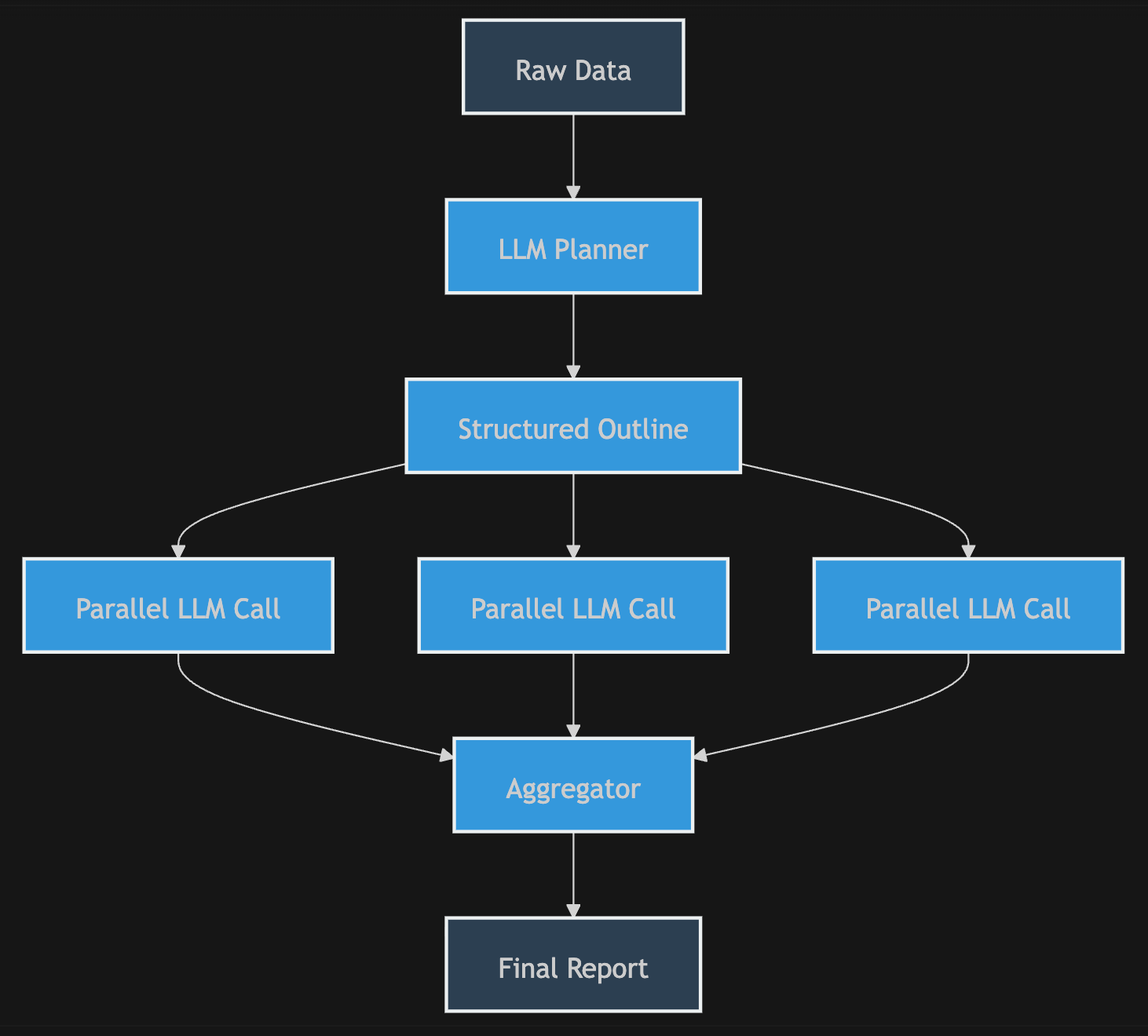
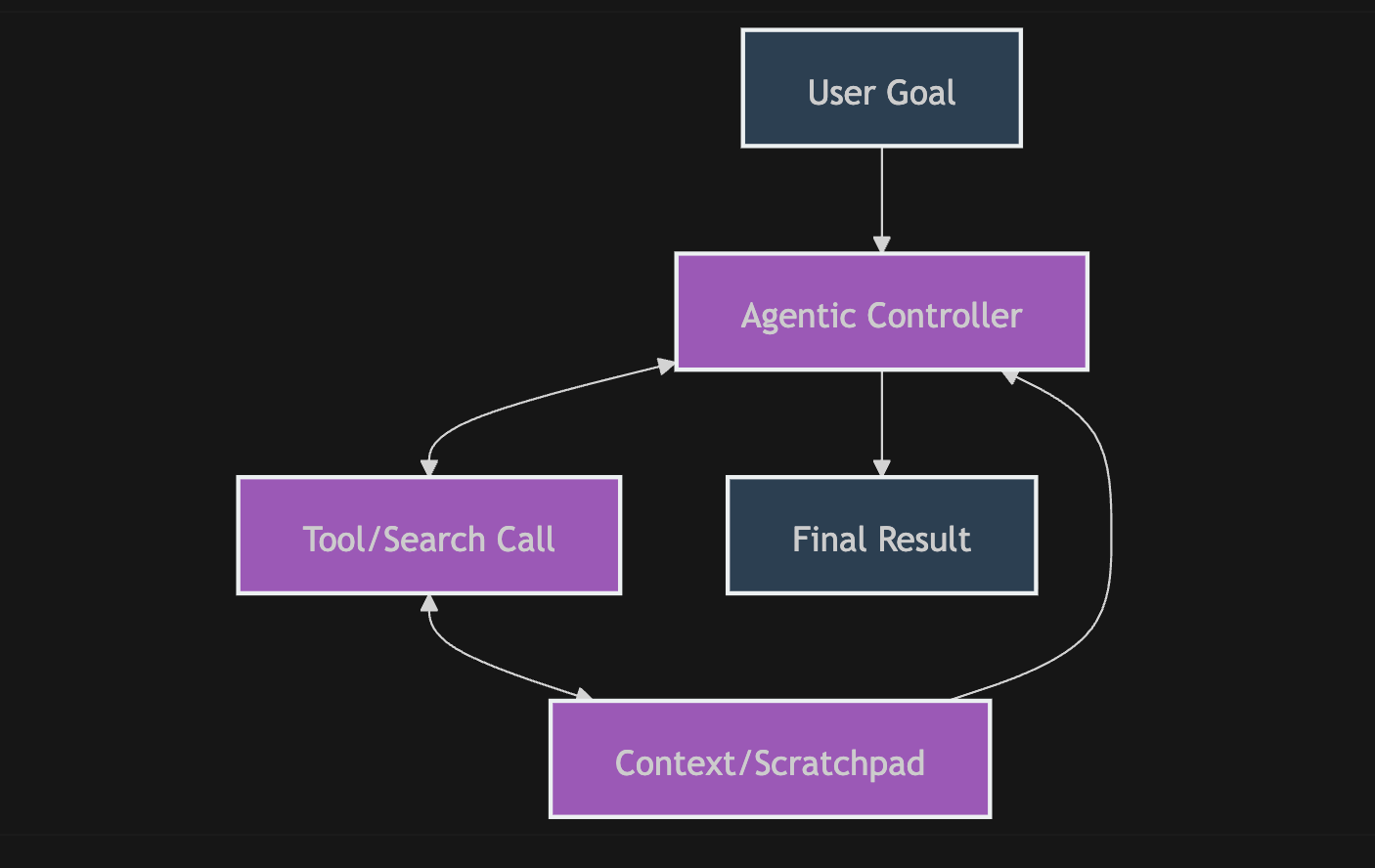
Then there is the "Agentic" approach. These tools use high-cost foundation models to manage tool-calling and scratchpads. While impressive, they carry a heavy tax: you are paying a premium for a model to re-process an expanding context for up to an hour, leading to massive API bills and the dreaded "losing the plot"- where the agent drifts from the original objective mid-way through, gets stuck in a loop, or doesn't finish the task.
Pulse is fundamentally different. Because Pulse is a workflow engine, you don't just "ask a question"- you build an assembly line that answers questions. Instead of one massive, expensive pass, you utilize a series of specialized, atomic steps to refine data, filter noise, and synthesize insights. You move from "hoping" the model gets it right to engineering the result.
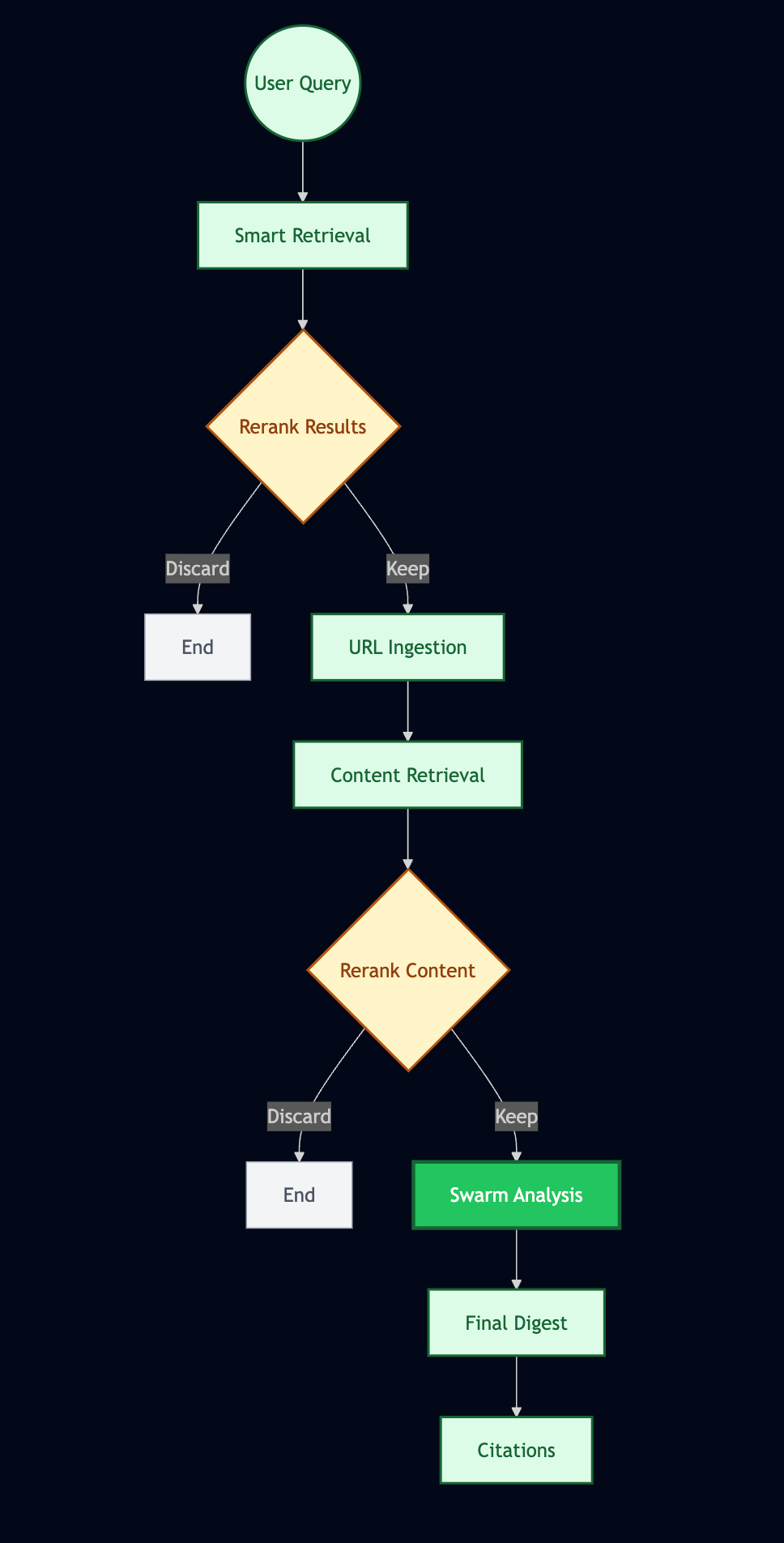
I've been refining the above deep research workflow over the past two weeks and learned some best practices:
- When referring to the digest that starts the workflow in prompts, say “TRIGGER DIGEST”, this matches the label the LLM sees the content under in the backend and creates an easy "semantic anchor"
- Ingest urls doesn't always perform well when asked to do reranking, it's best to use a dedicated reranking step unless you're making a very simple choice based on web snippet content
- Reranking after Ingesting a lot of large web pages makes the process of analyzing the results much faster - reranking will drop sections that are just ads, UI elements, or attempts at browsing that were blocked rather than forcing workers in the swarm step to do so
- It is often worth it to use the slower reasoning model for the final synthesis, although gw3n (the small fast model) is good for factual questions/extracting specific information with a narrow scope
You can download the workflow by clicking here. If the file displays text instead of downloading you can download it by saving the web page as a json file or copy/pasting the content into a local json file on your computer. It will also be added to the starter pack in the workflow documentation section.

Member discussion: